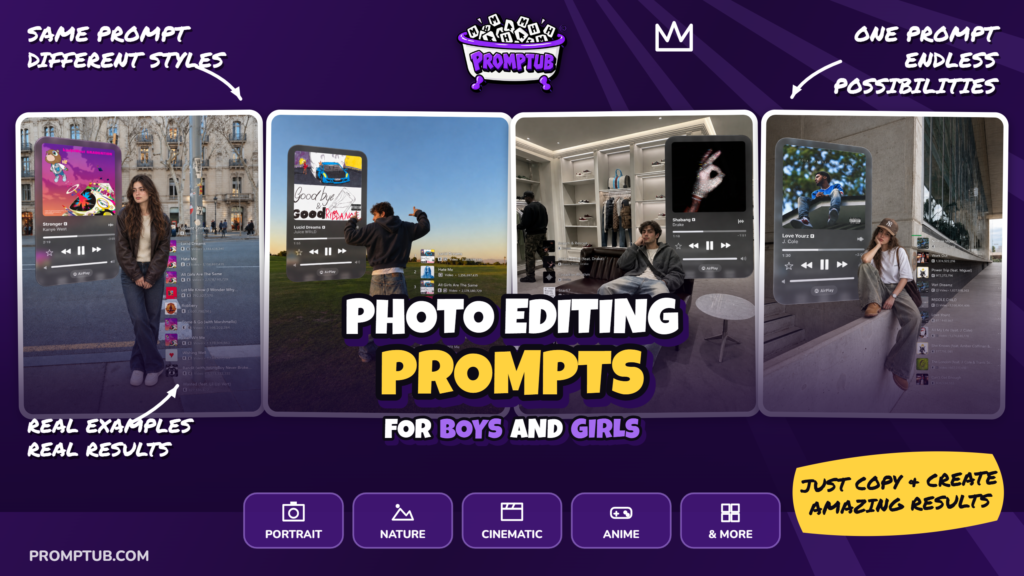
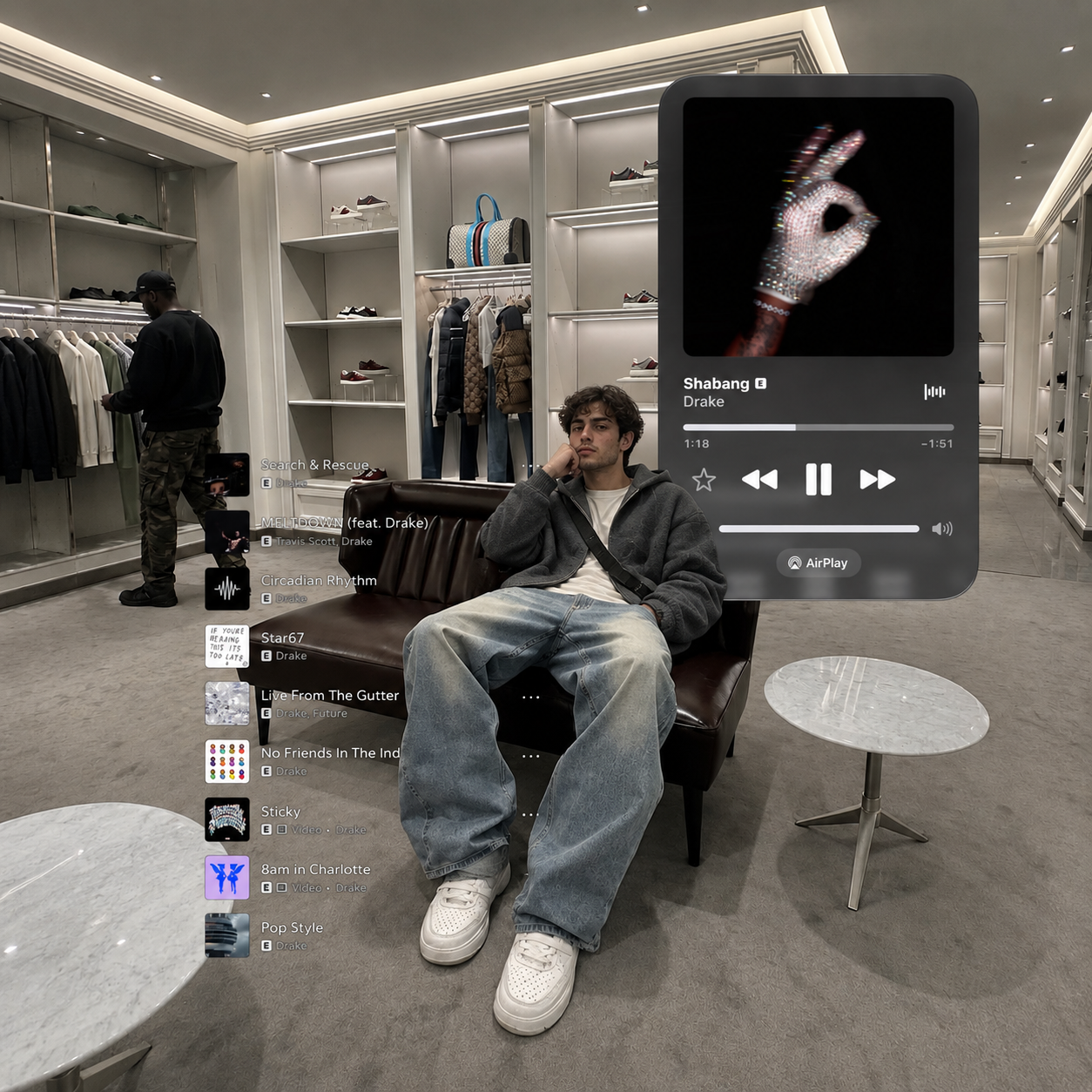
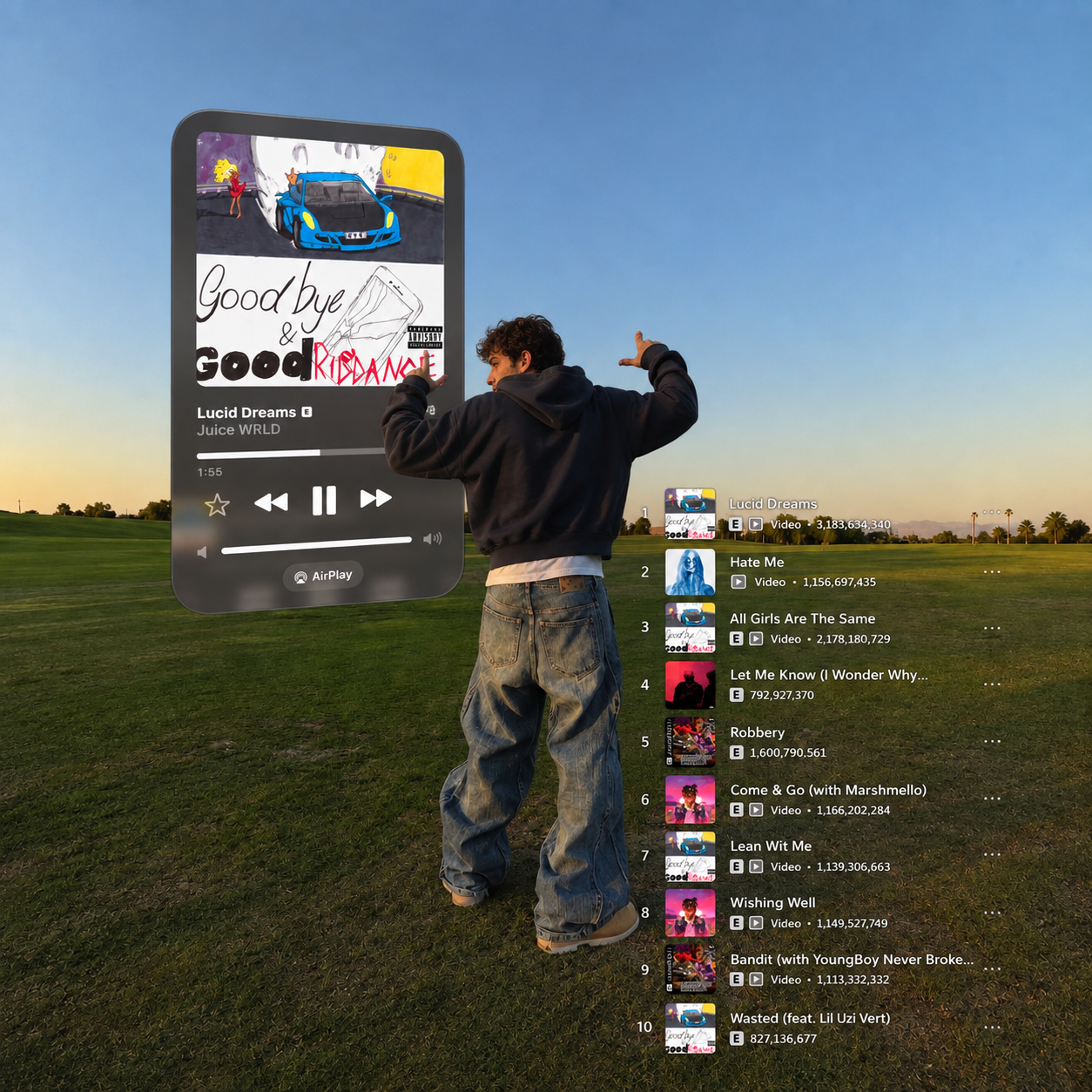
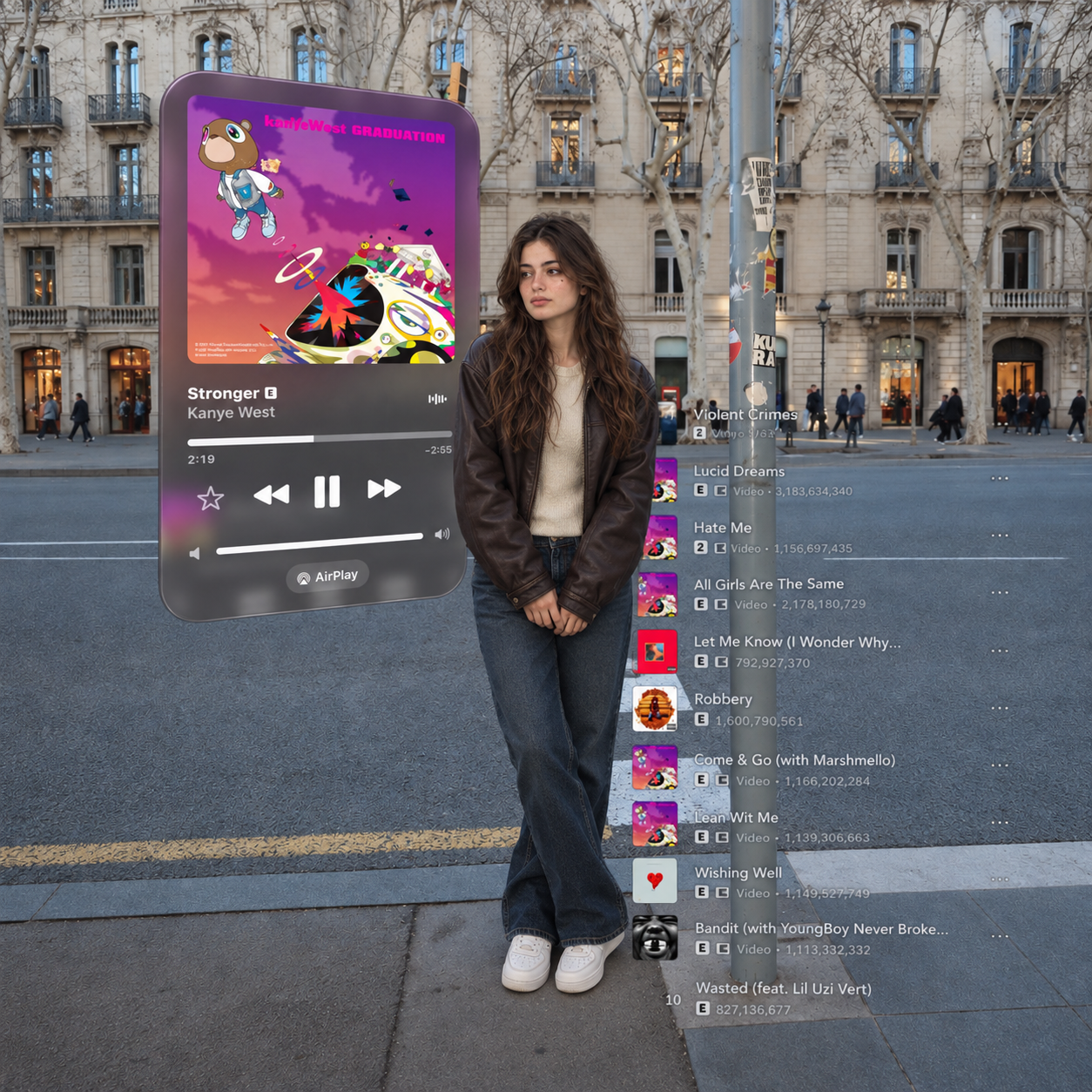
Turn any photo into a music-fashion editorial with a giant floating music player beside you. Your own face stays exactly as it is. Free prompt, no signup.
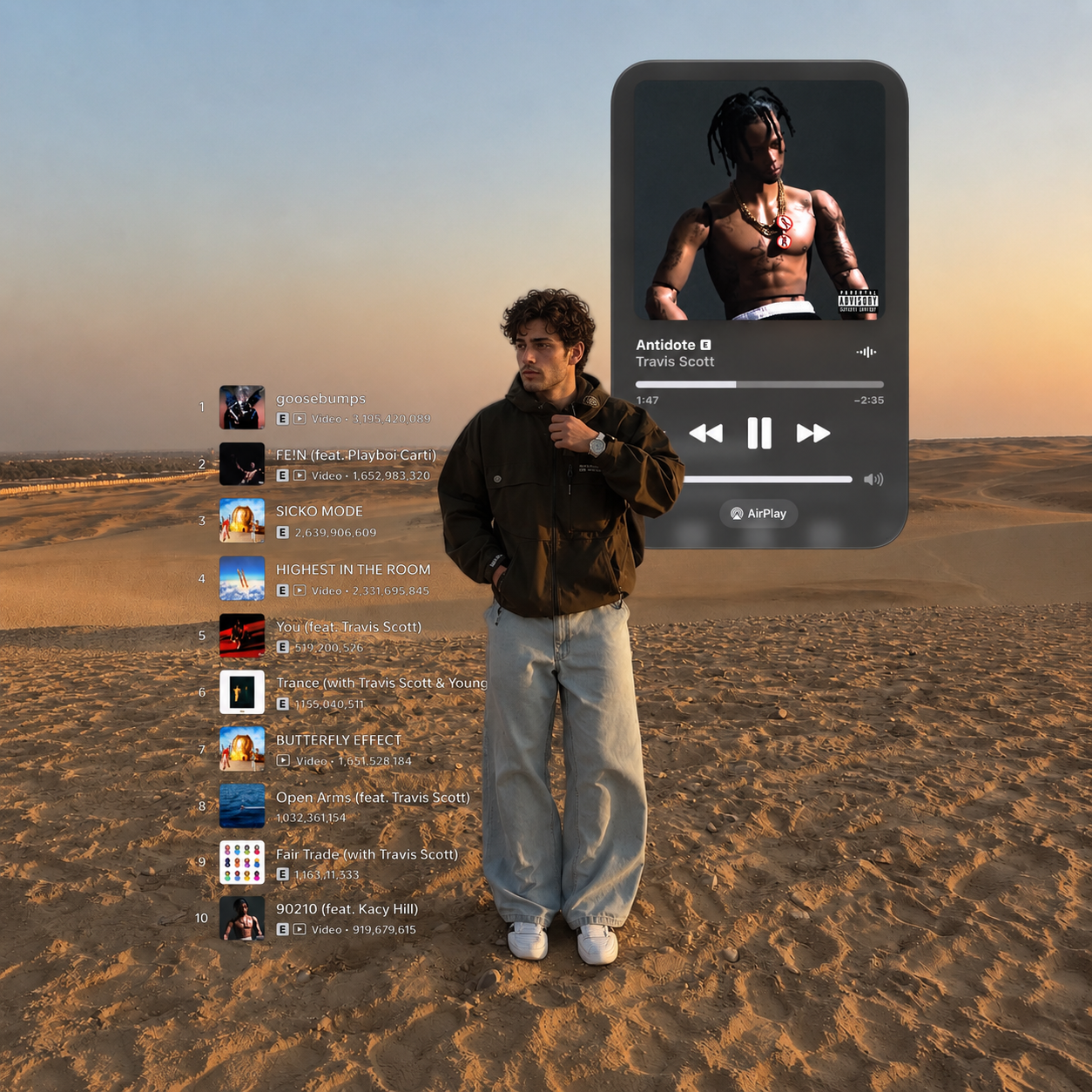
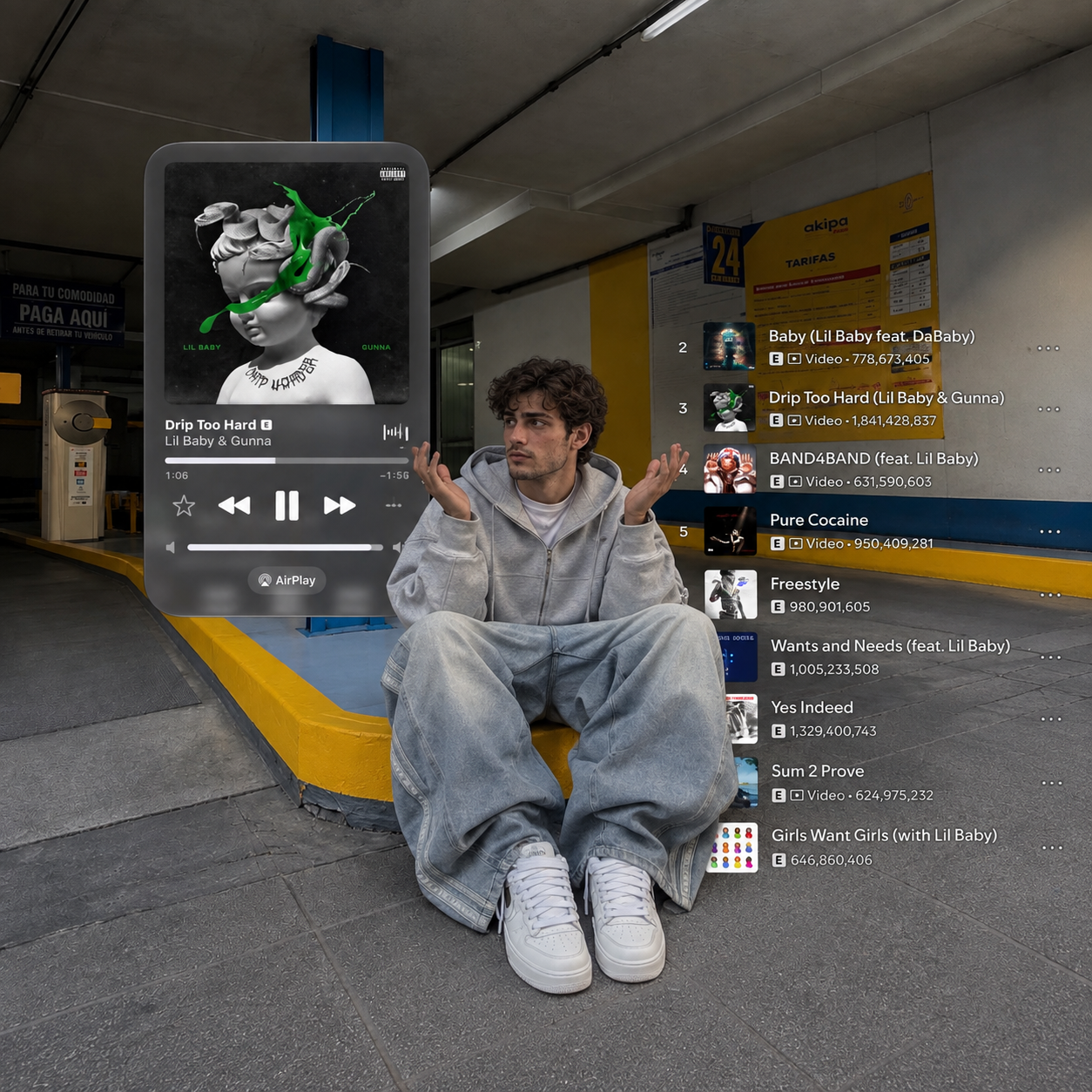
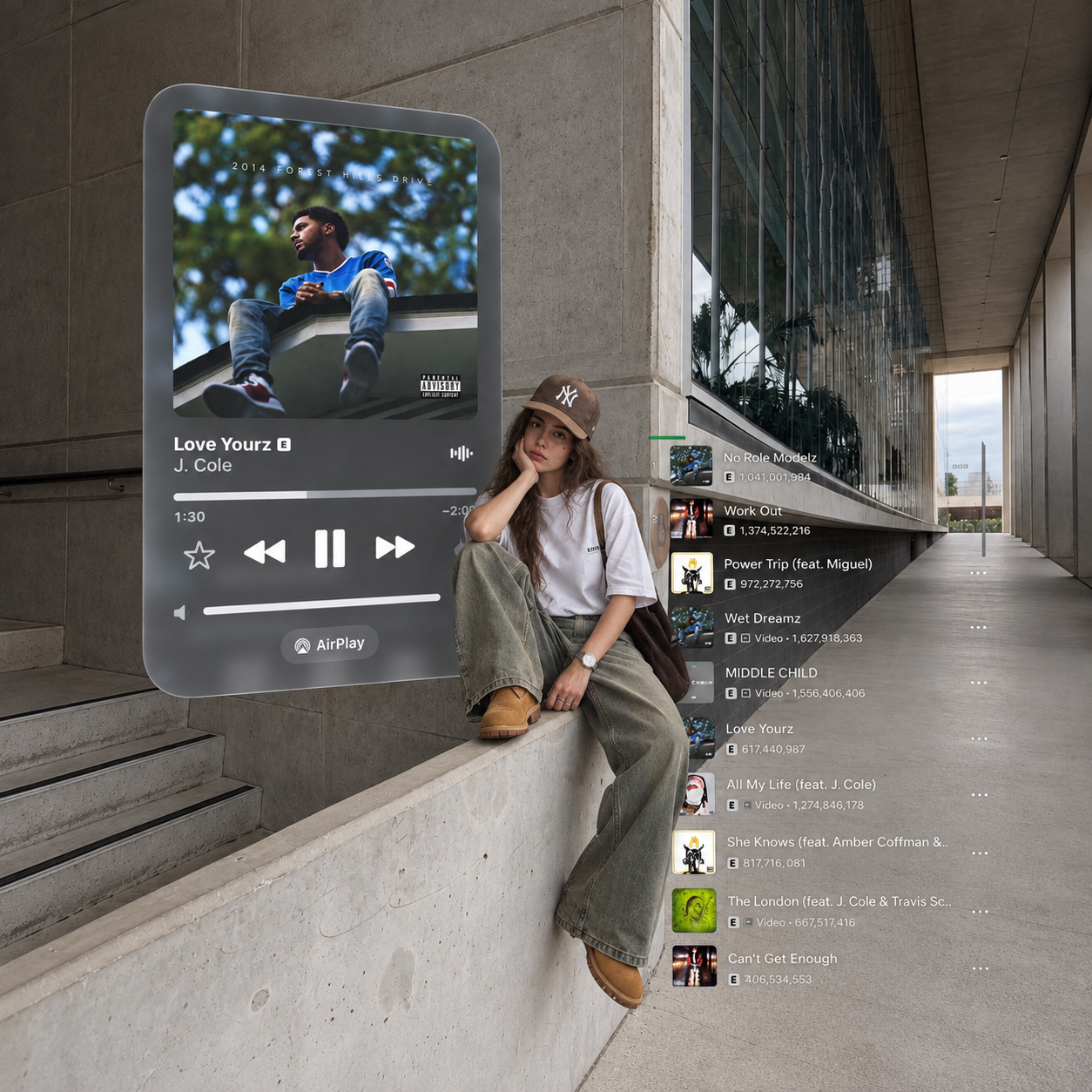
Turn your photo into a creative music-player portrait with this prompt. The look places you inside a scene with a large floating music panel, album artwork, and a song list around you. It brings your photo and a music-inspired design together in one image, giving it the feel of a personalised album-cover edit.
The floating player is the main attraction here. Instead of showing music on a small phone screen, the design makes it part of the surroundings. The dark, glass-like panels give the picture a different look while leaving the person clearly visible. It is a fun choice if you enjoy music and want something more creative than a regular portrait.
You will need two images for this edit: your own photo and a reference image showing the music-player scene you want to recreate. The reference images are available on this page. Choose the one you like and upload it alongside your photo before pasting the prompt.
Your photo tells the AI who should appear in the picture. The selected reference tells it how the finished scene should look, including the outfit, pose, background, and placement of the music panels. The aim is to put you in that same setting while keeping your face recognizable.
This makes it easy to choose a look without describing every part yourself. If you like the pose and styling in one of the examples, use that image as your scene reference. The prompt asks the AI to follow it closely and replace the person with you.
Whether you want a new profile post or simply enjoy trying different photo edits, this music-player concept gives you a playful way to make a picture around your love of music.
The prompt
5,560 characters
Use the uploaded character reference image as the single and absolute source of truth for the person’s identity and appearance.
Replace ONLY the original person in the target image with the person from the uploaded character reference. Preserve the reference person’s exact facial identity, facial structure, face shape, proportions, natural asymmetry, eyes, eyebrows, nose, lips, jawline, skin tone, natural skin texture, hairline, hairstyle, and other recognizable characteristics. Do not beautify, reshape, slim, smooth, symmetrise, age, de-age, or reinterpret the face. Do not replace the identity with a similar-looking person. The final person must clearly remain the same person from the uploaded reference.
SHOT
Recreate the exact visual concept of the target image as a surreal editorial photograph combining a real-world environment with oversized floating music-player interface elements. The replacement character should appear naturally photographed inside the original scene, as though the entire composition was captured as one intentional fashion-editorial image.
Keep the original target image’s environment, architecture, location, perspective, props, furniture, pavement, walls, landscape, and atmospheric conditions unchanged.
FRAMING
Preserve the exact camera angle, crop, perspective, subject placement, scale, and composition of the target image. The replacement character must occupy exactly the same position and perform exactly the same pose as the original person.
Preserve any foreground or background interface elements in their original positions and proportions. Do not move the oversized music-player panel, song list, album artwork, icons, buttons, progress bars, or other graphical elements.
SUBJECT DETAIL
Match the original subject’s exact pose, body orientation, hand placement, leg position, head angle, gaze direction, and facial expression.
Adapt the replacement character’s clothing and accessories to match the original subject’s styling exactly. Preserve the same garment silhouettes, colors, layering, footwear, headwear, jewelry, bags, and other visible styling elements from the target image.
If the target image shows the person sitting, standing, leaning, walking, crouching, or interacting with an object, reproduce that exact physical interaction.
The person must look naturally integrated into the environment rather than pasted over it.
The oversized music-player interface should remain a major visual element. Keep its translucent dark-glass appearance, rounded corners, album-art window, song title area, artist information, playback controls, progress bar, and surrounding track-list interface exactly where they appear in the target composition.
Do not redesign the interface or replace it with a different visual concept.
SKIN AND HAIR
Keep realistic skin pores, natural facial texture, individual hair strands, realistic hair volume, and natural shadows. Match the original target image’s lighting response on the replacement character so the skin, hair, and clothing appear to have been photographed under the same conditions.
Do not apply artificial beauty filters, excessive skin smoothing, plastic texture, or CGI-style rendering.
LIGHT
Use the same lighting direction, intensity, color temperature, highlights, shadows, and environmental reflections visible in the target image. The replacement character must receive the same light as the original subject.
Preserve realistic contact shadows where the character touches the ground, furniture, wall, or other objects.
CAMERA AND RENDERING
Match the target image’s camera perspective and photographic characteristics precisely. Preserve its depth of field, focal perspective, sharpness, natural lens distortion, realistic exposure, and color rendition.
The oversized interface elements should have realistic translucent glass, reflections, soft edge highlights, and depth so they feel physically integrated into the photograph rather than flat graphics placed on top.
MOOD
The image should feel like a contemporary music-fashion editorial captured for social media.
The surreal interface elements should feel intentional, polished, and seamlessly embedded into the real environment.
NEGATIVE
Do not change the background, architecture, environment, furniture, landscape, props, interface layout, album artwork placement, song-list placement, or composition.
Do not add extra people or remove existing background people unless the target image already contains none.
Do not alter the original pose or expression.
Do not create distorted hands, extra fingers, missing fingers, duplicated limbs, warped legs, unnatural joints, floating objects, incorrect shadows, or broken perspective.
Do not create a generic replacement face, identity drift, face-swap artifacts, artificial facial reconstruction, plastic skin, cartoon appearance, CGI appearance, illustration style, or excessive retouching.
Do not turn the music interface into a generic phone screen or unrelated app design.
OUTPUT
Create an ultra-realistic high-resolution photographic result that looks as though the uploaded character was originally photographed in the exact target scene.
Preserve the target image’s original aspect ratio, composition, camera perspective, environment, interface elements, lighting, styling, and overall visual language.
Only the person’s identity should be replaced. Everything else should remain faithful to the target image.