Home ›
Perfect Cinematic Motion Blur Photo Prompt For Your Normal Image
Perfect Cinematic Motion Blur Photo Prompt For Your Normal Image
ChatGPTUpdated 2026-10-09
Turn any normal photo into a cinematic motion blur image with this realistic AI editing prompt. Create dreamy movement, soft background blur and a professional camera look.
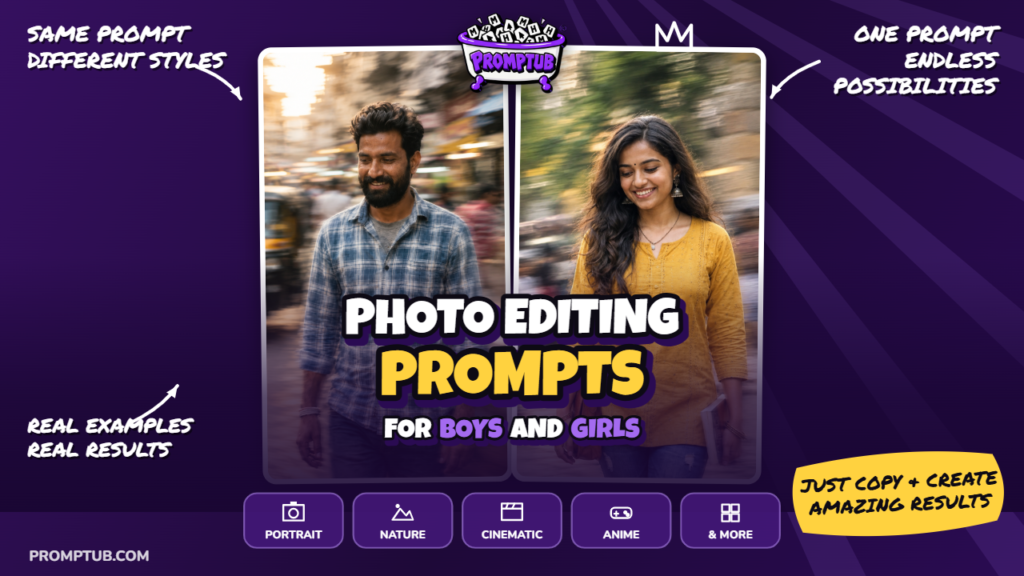
Example output — this is what the prompt produced. 16:9 aspect ratio.
More results from this prompt
ChatGPT results
Keep your own look and give your photograph a soft sense of movement with this portrait prompt. Your outfit, jewellery, hairstyle, and personal style provide the starting point. The change comes through the atmosphere: a gentle turn, a relaxed glance, and a little movement around the hair and clothing.
The idea feels like a photograph taken just as you look away. Your face remains recognizable, while the edges of the picture become softer and more expressive. A loose strand of hair or the movement of a sleeve adds to that fleeting, candid feeling.
This makes the prompt easy to try with different kinds of photographs. You might be wearing traditional clothes, a casual shirt, or an outfit you chose for an evening out. The prompt asks to carry those details into the portrait, so the finished look still feels connected to your original picture.
The framing leaves room to see your upper body and some of the space around you. A downward or sideways glance gives the image a quiet mood, with soft light and natural colours completing the scene. The movement is meant to be gentle enough that your face stays the part people notice first.
For this particular edit, ChatGPT is our suggested choice. Upload your photograph and paste the full prompt below. You do not need a separate scene reference or a special outfit to get started.
If you like slightly dreamy portraits but want to keep the clothes and styling you already love, this is a simple idea to try. It gives a familiar photo a different mood while asking to preserve the features that make it yours.
The prompt3,650 characters
Create a single ultra-photorealistic 4K vertical 9:16 portrait of the person from the uploaded reference image.
FACIAL IDENTITY — ABSOLUTE PRIORITY: Preserve the person's original face exactly as shown in the reference. Keep the same facial structure, proportions, eyes, nose, lips, skin tone, and distinctive features. Do not replace, reshape, beautify, or reinterpret the face. The person must remain immediately recognizable as the same individual.
IMPORTANT: Preserve the person's original clothing, accessories, jewelry, hairstyle, cultural styling, and overall appearance from the reference image, unless a specific change is requested. Do not force any particular outfit, jewelry, hairstyle, or fashion style. The styling should naturally belong to the person in the uploaded photograph.
Transform the image into an intentional artistic motion-blur portrait, inspired by sophisticated smartphone photography and controlled long-exposure photography. The effect should feel like a real photograph captured during a subtle moment of movement rather than an artificial blur filter.
Use a moderately close portrait composition, avoiding an extreme close-up. Keep enough of the upper body and surrounding atmosphere visible to make the photograph feel spacious, natural, and editorial.
Create subtle directional motion throughout selected parts of the image — especially around the hair, clothing edges, shoulders, and surrounding areas — while keeping the person's main facial identity recognizable. The motion blur should be soft, elegant, controlled, and atmospheric, never excessive or messy.
Give the portrait a naturally candid feeling: a gentle downward or sideways gaze, relaxed facial expression, slightly parted lips, and a quiet moment of movement. Allow the exact pose and expression to adapt naturally to the person's original appearance and reference image.
Maintain natural skin texture with realistic pores and fine details. Add subtle professional portrait makeup enhancement only where appropriate: softly luminous skin, delicate blush, restrained highlights, naturally defined eyelashes, and realistic lip tones. Do not make the person look heavily retouched, overly glamorous, plastic, or digitally generated.
Use soft, diffused, cinematic lighting with realistic highlights and shadows. Create a subtle sense of movement and depth through controlled exposure rather than dramatic artificial effects. The background should remain natural and slightly softened, with gentle environmental motion or light streaking where appropriate.
The final image should resemble an authentic high-end editorial photograph captured with a modern smartphone or professional long-exposure camera — spontaneous, elegant, emotional, natural, and slightly dreamy.
CRITICAL EFFECT: The motion blur must look intentional and photographic, with a combination of relatively recognizable facial detail and softly displaced surrounding elements. Avoid the appearance of a generic Gaussian blur, smeared face, ghosting, double facial features, distorted anatomy, or excessive movement.
Preserve realistic proportions, natural skin, authentic fabric and accessory details, believable lighting, and photographic imperfections.
Do not introduce a fixed fashion style, specific clothing, specific jewelry, flowers, hairstyle, or cultural elements. Adapt all styling naturally from the uploaded person's reference image.
Output: vertical 9:16, ultra-photorealistic, cinematic editorial photography, realistic skin texture, natural colors, subtle long-exposure motion, sophisticated smartphone-camera aesthetic, extremely detailed 4K finish.
Choose your reference with the whole look in mind. Along with your face, the prompt uses your clothing, accessories, hair, and any cultural styling already present. A photograph showing your head and upper body gives it more of those details to follow.
There are no required flowers, earrings, or specific garments for this version. If your photo includes jewellery, the prompt asks to preserve it. If your look is simple, it can stay simple. The effect is designed to work around the person you upload.
A clear original photograph is useful even though the finished portrait includes blur. Start with a picture where your features are easy to see. The movement is added during the edit, so you do not need to shake the camera or take a blurry selfie beforehand.
In the finished image, some hair strands, clothing edges, or nearby details may appear softly stretched in one direction. That is the intended effect. Your face should still be recognizable, with a single, natural set of features and enough detail to feel familiar.
The pose can vary with the reference. A small turn of the head, lowered eyes, or a relaxed sideways glance can all suit the idea. The expression stays understated, allowing the movement and soft light to give the picture its atmosphere.
After generating, compare the result with your original photo. Look for your familiar face and the outfit details you wanted to keep. Results can vary, so save the version that balances a clear likeness with gentle movement. The appeal is seeing your own style in a softer, more spontaneous moment.