
Retro Bollywood Portrait Prompt
A faded 1970s Indian film portrait — saree or wide-collar shirt, soft window light, expired-film colour, your own face.
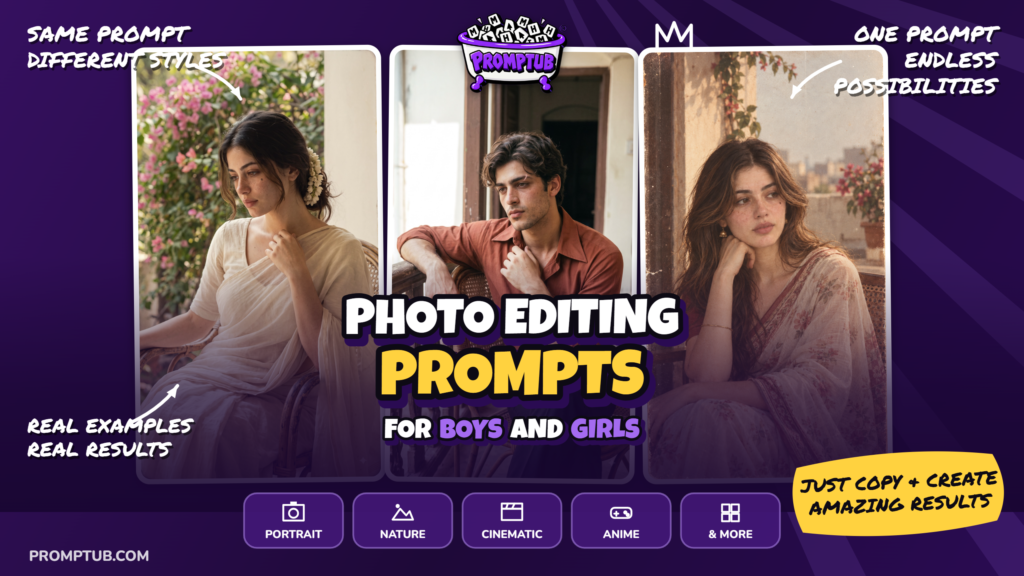
More results from this prompt
ChatGPT results
Gemini results
Grok results
An Indian Portrait With the Feel of an Old Photo Album
This prompt gives your photograph a vintage Indian portrait style inspired by the late 1960s through the early 1980s. The idea is a quiet image with faded colors, soft daylight and the slight imperfections of an old film print. Think of a photograph kept between the pages of a family album, with cream-colored whites, muted greens and reds that have softened toward brick.
Your uploaded photo is the facial reference. The instructions ask the generator to keep your facial structure, complexion, natural asymmetry and skin texture while changing the clothes, surroundings and photographic treatment. “Photographed decades ago” describes the period styling; it does not require making your face older or younger.
The prompt works for both women and men. For women, it suggests a modest cotton or chiffon saree, a simple blouse, small gold jhumkas and jasmine in the hair. For men, it describes a wide-collared cotton shirt and straight trousers. The clothing should feel comfortably worn, with natural folds rather than a polished fashion-shoot finish.
Soft Light and Understated Expressions
Light comes from a single window or open doorway, falling across one side of the face. The opposite side stays gently shaded. This gives the portrait depth without flash reflections or elaborate studio lighting.
The expression is equally restrained: closed lips, relaxed shoulders and a thoughtful gaze. A slight turn of the head or an arm resting on a chair can help create the feeling of an informal moment.
Visible grain, softened highlights and faded color complete the effect. The face should remain recognizable and detailed, even though the overall image has the softness of an older photograph.
How to Use the Prompt
Use an image-generation feature in ChatGPT, Gemini or Grok that accepts an uploaded reference photograph. Attach a clear photo, paste the prompt below and request a vertical 9:16 image.
Choose one setting and one pose before generating. The prompt offers several alternatives, including a painted studio backdrop, a verandah, a window seat and a garden. These are choices rather than instructions to combine every location into one image.
For example, you could choose a window seat with a cotton curtain and a face turned slightly toward the camera. Alternatively, select a verandah with a cane chair and a relaxed seated pose. Removing the unused options gives the generator a clearer direction.
The finished image is a newly generated portrait with historical styling, rather than an actual photograph from that period.
Choose the Details Before Generating
For a more controlled result, keep only the wardrobe description you want to use. Select one saree color or one shirt color, then remove the other options. Do the same for the setting, pose and framing.
Check that your chosen location fits the lighting instruction. A window seat or doorway naturally suits the requested side light. For an outdoor terrace or garden, revise the lighting to soft daylight from one direction if the window-light instruction produces an odd result.
Resolve the Face-Reference Conflict
The negative list includes “resemblance to any real or famous person.” That wording conflicts with the main instruction when your reference photograph shows a real person.
Replace it with: “No celebrity substitution or resemblance to an unrelated person; preserve the identity of the uploaded reference.”
Also, the phrase “Keep … real skin exactly as they are” can sit awkwardly beside the makeup and hair changes. If identity matching is your priority, clarify that styling may change while facial structure, age, complexion and distinctive features should remain consistent.
Keep the Vintage Effect Gentle
If the result looks sepia or heavily stained, request faded color photography rather than a monochrome antique filter. Muted reds, dull greens and creamy whites should still be distinguishable.
Grain should add texture without covering the eyes or facial features. If the face becomes muddy, ask for less grain on the subject while keeping it visible in the background and shadows. Avoid adding scratches or torn-paper effects unless you specifically want a damaged-print appearance.
The 35mm film and 50mm lens descriptions guide the visual style. They do not mean the generated image was captured with physical film equipment.
Correct Modern Details
Check for contemporary shirt cuts, glossy makeup, elaborate jewelry or newly finished interiors. If these appear, request simpler clothing, minimal makeup and a modest, slightly worn setting.
For a saree portrait, inspect the shoulder drape and blouse coverage. For a shirt portrait, check the collar, buttons and rolled sleeves. Hands near the hair or collarbone may need a separate correction if fingers merge or the wrist bends unnaturally.
Compare the Result With Your Reference
Review the face before choosing the strongest vintage treatment. Check the nose, jawline, eye shape, skin tone and visible facial hair. If the generator has made the person younger or more symmetrical, request a correction using the same reference photo.
Results can differ across ChatGPT, Gemini and Grok; no comparative testing is documented here. Keep the version that best preserves the person’s identity and the quiet mood, then save the original download before making additional crops.