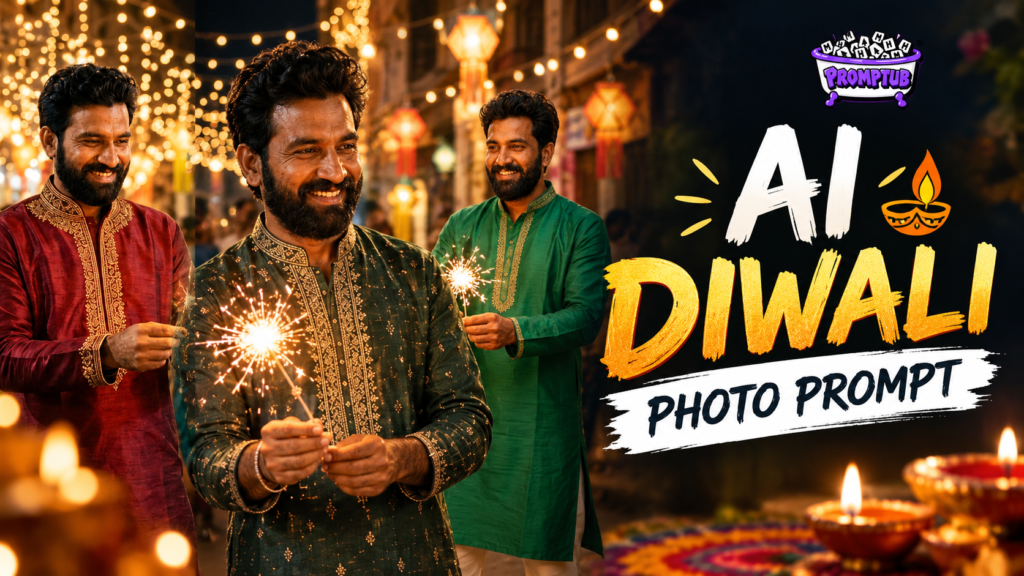
Diwali AI Photo Prompt – Create a Traditional Kurta Look
Create a realistic Diwali AI photo with your own face, a stylish traditional kurta, glowing festive lights, and a beautiful Indian street background.
More results from this prompt
ChatGPT result
Gemini result
Grok result
Create a Traditional Diwali Look with Your Own Photo
Want to see yourself celebrating Diwali in a traditional outfit without actually changing your clothes or visiting a decorated location? With this AI photo prompt, you can turn your regular photo into a beautiful festive portrait.
The idea is simple. Upload your photo, copy the prompt below, and let the AI transform your everyday look into a traditional Indian festive style. You could be wearing a beautifully embroidered kurta, standing on a street filled with Diwali lights, and holding a sparkling firework in your hands.
What Makes This Diwali Photo Special?
This prompt focuses on creating a natural-looking festive photograph rather than an overly edited portrait. Your outfit changes into a stylish traditional kurta, complete with detailed embroidery and a festive colour that can vary with each generation.
The background features a decorated Indian street, warm golden lights, and people celebrating Diwali. These small details help give the picture the feeling of a real festive evening.
You can get different kurta colours and designs across generations, so every result can have its own look. From deep maroon and bottle green to royal blue, cream, or other festive shades, the outfit can look different while keeping the same traditional style.
How to Create Your Diwali AI Photo
Follow these simple steps to create your own festive picture:
- Choose a clear photo of yourself with your face visible.
- Open an AI image generator that supports photo uploads and reference images.
- Copy the Diwali photo prompt provided below.
- Upload your photo and paste the prompt into the text box.
- Generate the image and check the result.
- If you want a different kurta colour or design, generate another version.
Keep Your Face Looking Natural
One of the most important things in an AI-generated portrait is keeping your original appearance. The prompt instructs the AI to preserve your facial features, hairstyle, beard, skin tone, and overall identity while changing your clothes and surroundings.
For the best results, use a clear, well-lit photo where your face is easy to see. The final result may vary depending on the image generator you use, so you can try again if the face or outfit does not look quite right.
Try Different Traditional Kurta Styles
You do not have to stick to one colour. Each time you generate a new image, you can get a different festive combination of kurta colour, embroidery, and fabric. The overall look stays traditional, making it suitable for Diwali greetings, WhatsApp status, Instagram posts, or your festive profile picture.
Copy the Diwali Photo Prompt
Ready to create your own Diwali portrait? Copy the prompt below, upload your photo, and generate your festive look. You can use the same prompt again whenever you want to try another outfit or a different version of the scene.
Tip: For a more realistic result, start with a photo that clearly shows your face and upper body. If you want the entire kurta and trousers to be visible, choose a full-length reference photo whenever possible.