
Create Nose Ring Close-Up Portrait AI Photo With Prompt
Create a stunning, ultra-realistic close-up portrait using your own photo. This AI photo prompt creates a cinematic look with natural skin texture, dark flowing hair, warm lighting, and elegant traditional silver nose jewellery. It preserves your facial identity and original outfit while giving your photo a dramatic, professional portrait style.
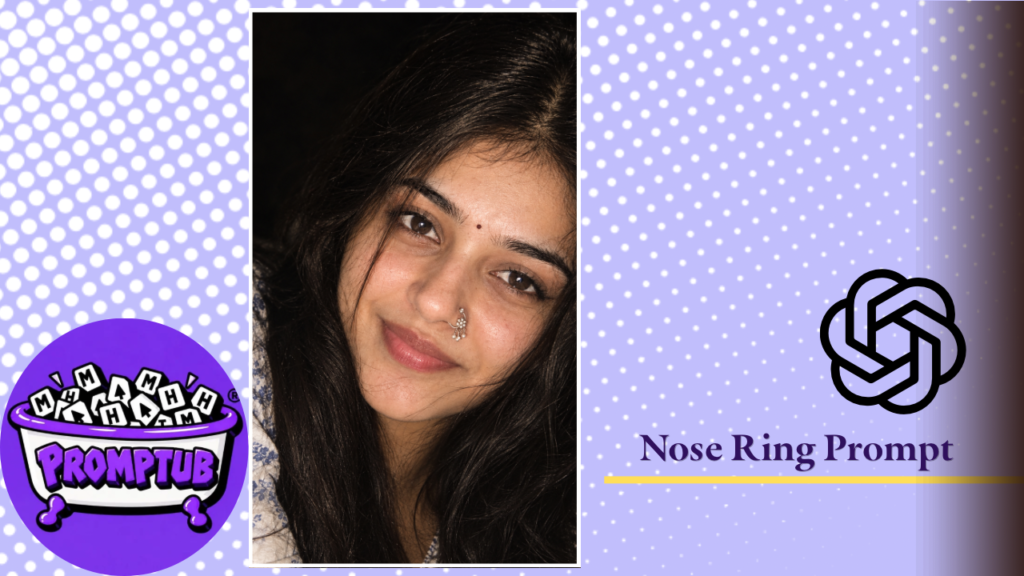
More results from this prompt
ChatGPT result
How to Use:
- Copy the AI photo prompt.
- Upload your photo to an AI image generator.
- Paste the prompt and generate your portrait.
- Save and share your results
Create a Natural, Aesthetic Portrait
Whether you want a cinematic girl portrait, a realistic close-up selfie, or a traditional Indian aesthetic photo, this prompt can help you experiment with a different photographic style while keeping your original photo as the reference.
Copy the prompt, upload your photo, and create your own cinematic close-up portrait. You can use the generated image for your social media profile, Instagram posts, Stories, or WhatsApp Status.
Realistic Cinematic Close-Up AI Photo Prompt for Girls
Create a beautiful, ultra-realistic cinematic close-up portrait using your own photo with this AI photo prompt. This prompt is designed to give your portrait a natural yet dramatic appearance, featuring soft warm lighting, long dark hair, realistic skin texture, and elegant traditional Indian silver nose jewellery.
The close-up composition keeps your face as the main focus, capturing the natural details of your eyes, lips, facial features, and hair. The dark background and subtle cinematic lighting create a professional portrait photography look without making the image appear overly edited or artificial.
Features of This AI Photo Prompt
- Realistic facial details: Maintains your natural facial features, face shape, eyes, nose, lips, and existing beauty marks.
- Cinematic lighting: Creates warm highlights and soft shadows for a dramatic portrait effect.
- Traditional Indian jewellery: Adds a detailed silver nath with tiny hanging beads and a small nose stud for an elegant ethnic look.
- Natural hair texture: Features long, dark hair falling naturally around the face, with a few loose strands for a realistic appearance.
- Dark aesthetic background: Uses a nearly black background to keep the attention on your face, eyes, and jewellery.
- Natural skin appearance: Retains visible pores and fine skin details instead of artificial smoothing or excessive beauty filters.
- Vertical portrait composition: Creates a 9:16 image suitable for Instagram Stories, Reels covers, WhatsApp Status, and profile pictures.
How to Create Your Own Cinematic AI Portrait
Follow these simple steps to generate your portrait:
- Copy the complete AI photo prompt provided on this page.
- Open an AI image generator that supports photo uploads and reference-based image generation.
- Upload a clear photo of yourself to use as the identity reference.
- Paste the copied prompt into the image generator.
- Generate your image and check the facial details, hairstyle, lighting, and nose jewellery.
- Save your favourite result and share it on your social media profiles.